On this pageTable of contents+

Do you have a few money pages that refuse to move, no matter how much work you put into them?
You have refined the title and meta description and added internal and external links, yet the rankings still will not improve.
Often, the constraint is not the conversion page itself. The page lacks support from the rest of the site.
When Google evaluates a page, it considers more than that page in isolation. The wider site also needs credible coverage of the topic.
Instead of repeatedly editing the conversion page, ask a broader question:
Have we built enough supporting content around this topic?
Start With a Simple Search Test
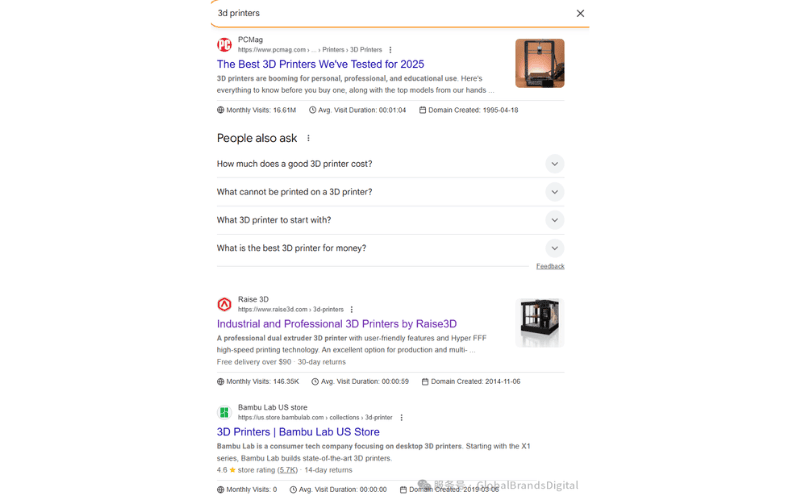
Choose an important money keyword with strong purchase or conversion intent, such as "3D printer."
Search Google for the term and note the three highest-ranking domains.
Next, search for site:competitor.com keyword. Replace competitor.com with one of the domains you recorded; the source uses Raise3D as its example.
Alongside the main conversion page, you will usually find many related pages that support the topic.

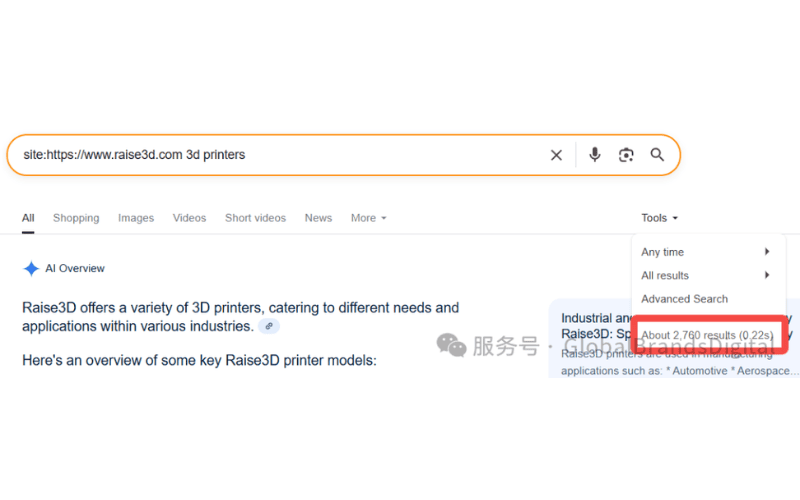
That supporting coverage can help explain why a domain is competitive across the topic.
Pause here and compare the competitor's coverage with your own: does your site have an equally useful support system?
Use Google Trends to Find Overlooked Content Gaps
The source uses a second example to make the method easier to see.
Open Google Trends and enter "laser cutter."
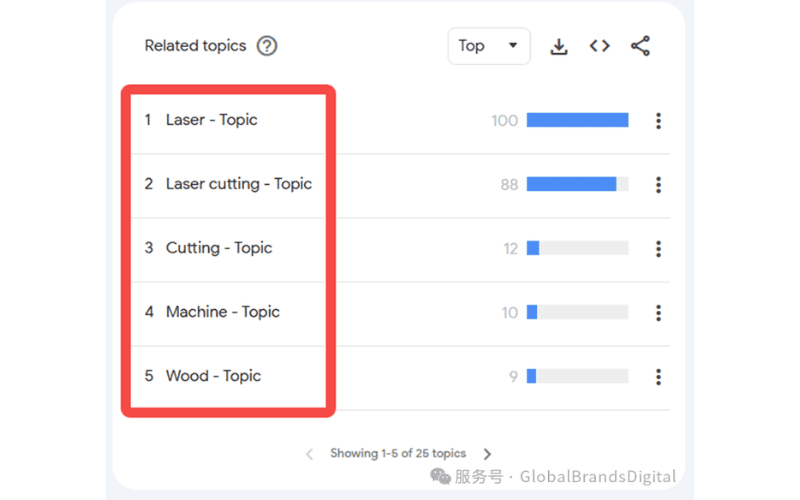
The related topics may include "laser cutting," "wood" and "laser engraving."
Review what each topic means in this market before turning it into a content idea.
Then combine a related topic with a site search, for example: site:omtechlaser.com laser cutter wood.
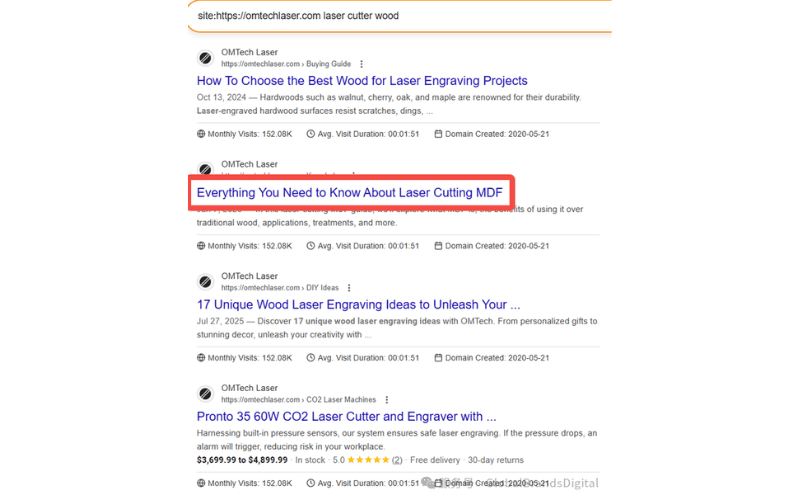
This can reveal angles you missed during the first round of keyword research, including the page highlighted in the source screenshot.
For example, MDF means medium-density fibreboard in this context. A material term like this is easy to miss, yet it can reveal a useful supporting topic for people researching laser cutting.
The method can therefore help uncover relevant long-tail terms.
Use -inurl to Reveal Less Obvious Supporting Pages
In a site search, pages whose URLs contain the target phrase may appear prominently.
Pages with unrelated-looking URLs can appear later even when their content discusses laser cutters, so they are easy to overlook.
Competitors may use those pages for internal links and broader topical support.
Use an -inurl exclusion to surface them:
site:omtechlaser.com laser cutter -inurl:"laser-cutter"
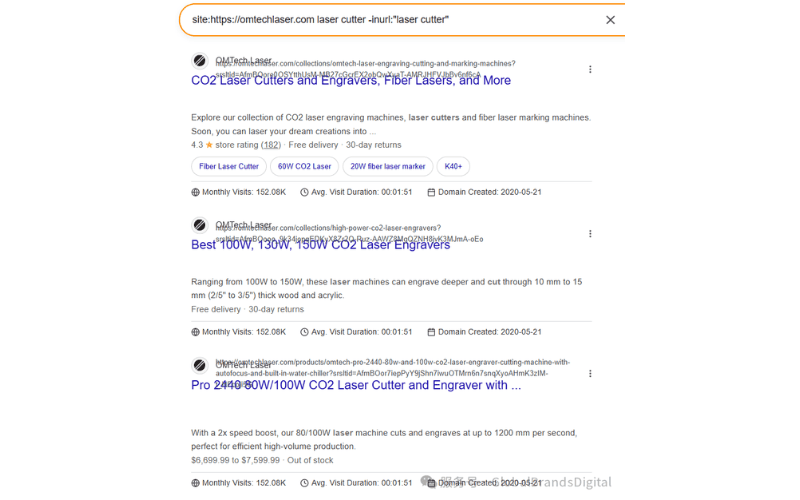
The query removes URLs that explicitly contain the phrase and leaves pages that may discuss the subject under a different URL. Review the results manually; a site search is a discovery aid, not a complete index report.
Extract URLs in Batches and Build a Content List
After finding a group of potential supporting pages, organize the URLs systematically.
Several tools can help. For a small result set, the source used the Grabbit browser extension. The tool may no longer be available, and its interface can change.
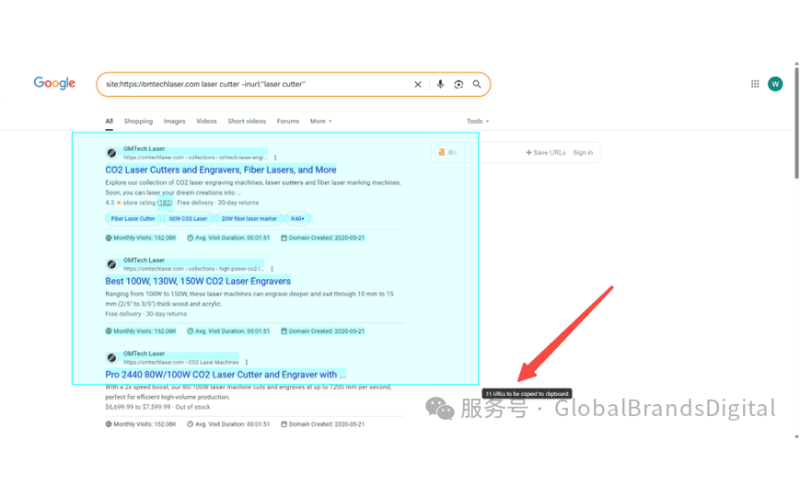
The source then imported the URLs into Ahrefs Batch Analysis to compare their traffic potential.
This review can separate two broad groups:
Pages with high traffic and strong competition;
Pages with moderate traffic where your site may have a realistic opportunity.
The result is an evidence-led priority list for supporting content.
Ask Three Questions Before You Start Writing
Once the data is collected, it is tempting to start producing content immediately.
Before doing so, answer three questions:
1. Which topics can the current site realistically compete for? 2. Which topics can reflect distinctive product strengths? 3. Which gaps should be filled first, even if the initial role of that content is mainly to support internal linking and topical coverage?
These choices help each new page strengthen the page that converts, instead of adding another asset that the team will rarely use.
Conclusion
This method will not move a conversion page to the top of page one overnight.
If you fill the most important gaps consistently, however, the source argues that rankings may improve over the following three to six months without repeatedly rewriting the conversion page itself.
A stalled conversion page is not always weak. Sometimes the wider support system is incomplete.
If this process exposes gaps in your content coverage, that is a normal finding, not a reason to publish everything at once.
The earlier you build the right support, the harder it becomes for competitors to retain an uncontested advantage.
For a wider planning path, use the English SEO learning hub and connect supporting assets through our content writing service.