
On this pageTable of contents+

I was recently discussing topic coverage with a client and opened Google Images for a quick demonstration.
The client stopped me and asked, "Where do the words above the images come from?"
My answer was simple: this is one of the easiest sources of topic ideas to overlook.
This guide explains how to use Google Images to collect closely related search refinements, then use them as inputs for topic research, navigation, internal links or a content plan.
The technique is not complicated or advanced. Its value is that it is easy to test in live search results and easy to connect to practical planning.
The labels can show how Google currently helps people narrow a visual search. They are useful clues about related concepts, but they are not proof that Google requires a page to cover every label.
Used with that boundary, the image result can make topic research faster without turning a dynamic interface into a ranking rule.
What Google does not state directly can appear in image results
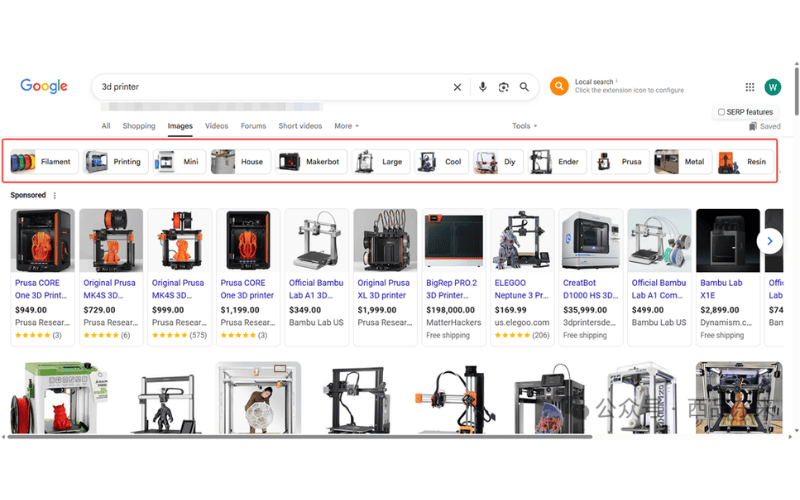
Search Google Images for a broad topic such as 3D printer. In the source screenshot, the refinement labels include terms such as filament, printing, mini, house, MakerBot and large.
It is easy to treat those labels as navigation for browsing pictures and move on.
Instead, ask why those particular refinements appear for the query. They are directions that the current image-search interface presents for narrowing or extending the search.
That makes them useful research prompts. If you are trying to cover the topic systematically, some of the concepts may belong in the site's page structure or supporting content.
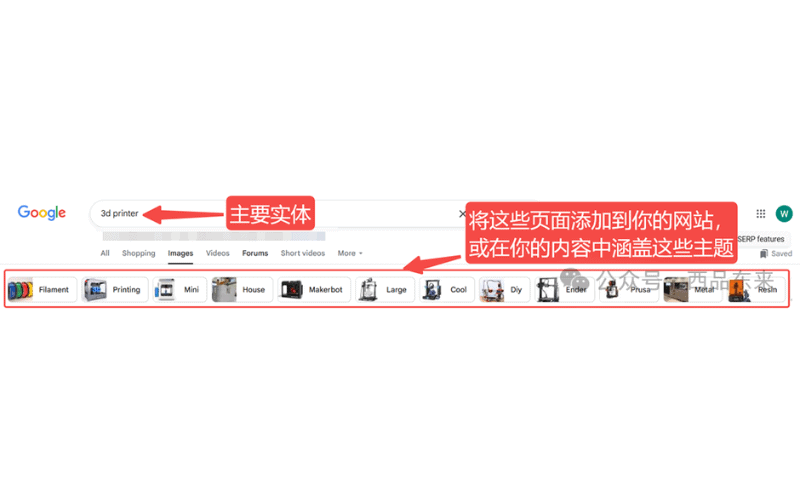
SEO teams often describe this process as semantic expansion or entity-related research: use what appears around a query to discover concepts that a first keyword list may have missed.
In plainer terms, topic coverage means answering the useful, relevant parts of a subject well enough for readers to complete their task. The image refinements can help you find those parts; they cannot decide the final architecture by themselves.
Extract image refinements and turn them into a content plan
This method is especially useful for content-heavy sites, complex information architectures and topic-led sections, including SaaS, healthcare and international brand sites.
- Open Google Images in the market and language you need to research.
- Search for the keyword behind the topic page or collection you are planning.
- Record the horizontal refinement labels and, where possible, the search query behind each label.
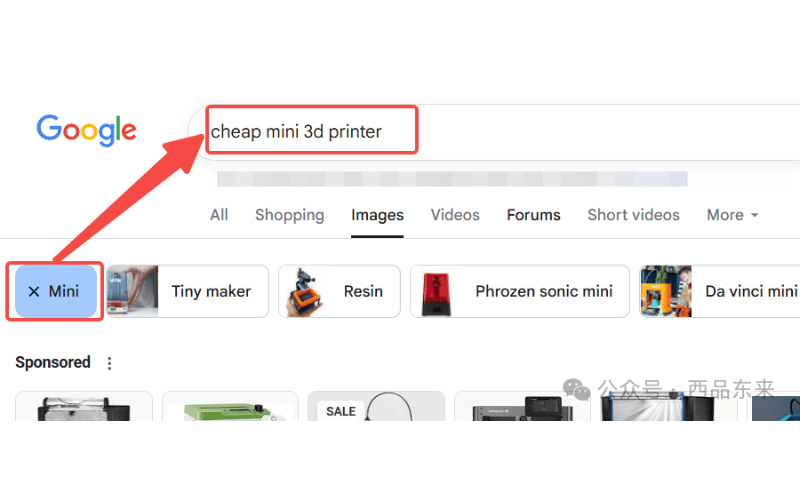
- Identify relevant entities or subtopics that the current site does not yet cover.
- Assign accepted ideas to content pages, internal links, topic structure or navigation categories.
- Reject labels that are ambiguous, duplicate the main query, name another brand or model, use the wrong language, conflict with the site's position or already have adequate coverage.
Not every label deserves a page or even a paragraph. Review the search results, audience intent, business scope and current site before deciding what to add.
The exact filters and their order can change by query, market, device and time. Google's current search help describes result filters as dynamic, so save the query, market and research date with the labels you collect.
Teams using the source workflow found that copying labels manually was inconvenient. The source also notes that image-recognition tools did not consistently extract the labels, so it recommends a bookmarklet that copies the search terms behind them.
The source provides the following bookmarklet. It targets a Google interface class captured when the article was written, so review the code before use and expect that interface changes may require an update:
javascript:(function(){ try { const anchors = document.querySelectorAll('a.nPDzT.T3FoJb'); const words = new Set(); anchors.forEach(anchor => { if (!anchor.href) return; try { const url = new URL(anchor.href); const q = url.searchParams.get("q"); if (q) { q.split('+').forEach(word => { const clean = decodeURIComponent(word.trim()); if (clean) words.add(clean); }); } } catch (e) { console.error("Bad URL:", anchor.href); } }); if (words.size === 0) { alert("No words found from anchors with that class."); return; } const text = Array.from(words).join('\n'); const dummy = document.createElement("textarea"); dummy.value = text; document.body.appendChild(dummy); dummy.select(); document.execCommand("copy"); document.body.removeChild(dummy); alert(`Copied ${words.size} word(s) to clipboard:\n\n${text}`); } catch (err) { alert("Something went wrong."); console.error(err); }})();The source's setup and operating steps are:
- Create a new browser bookmark.
- Paste the reviewed bookmarklet into the bookmark's URL field.
- Give the bookmark a clear name.
- Open an image-result page and select the bookmark to copy the available refinement queries to the clipboard.
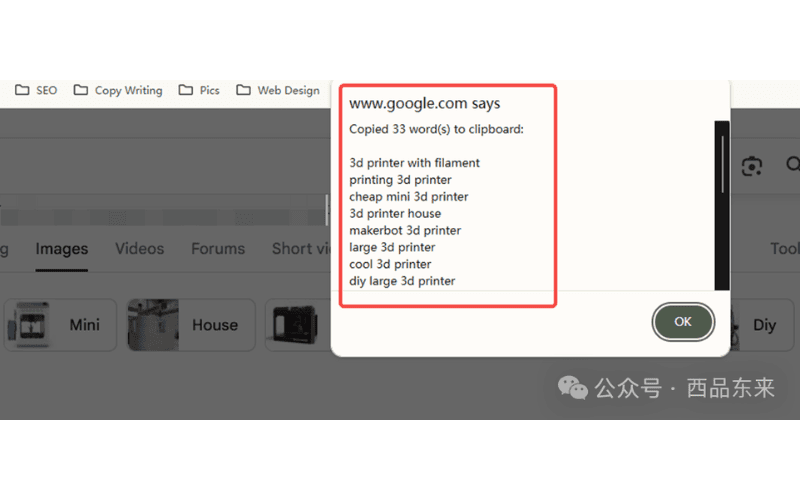
A small workflow like this can save a content team time and does not require them to write code. Any bookmarklet should still be reviewed before use, and changes to Google's interface can break it.
Where can this method support SEO?
The findings can influence more than an article outline. They can support several parts of a site's information structure:
- Topic-page planning: use relevant labels to find subtopics that may deserve a section or supporting page.
- Navigation design: use validated categories to help organize collection or hub pages in a logical order.
- Internal-link coverage: connect related entities through useful links so readers and crawlers can move through a clear information structure.
- Content-completeness review: compare the current page with related concepts that appear in the live result.
- Additional search entry points: cover relevant long-tail entities where the site has something distinct and useful to offer.
In short, image-search refinements can feed content planning, information architecture and semantic research. Treat them as observations from a live Google surface, not as Google's direct instruction to create content.
When you optimize the images themselves, follow Google's current image guidance: keep images near relevant text, use descriptive contextual alt text and avoid keyword stuffing.
Final thoughts
This method is simple and free. The manual version needs no login, plugin, API or specialist keyword-tool account: open Google Images, collect the refinements and use them to ask better planning questions.
The lasting skill is not copying a row of labels. Learn how Google currently presents the topic, then compare that view with what the audience needs and what the site can support. The technique is only one practical result of that broader way of working.