
On this pageTable of contents+
- 1. Choose the right domain
- 2. Choose a website platform
- 3. Choose hosting
- 4. Prepare your SEO tools and technical foundation
- 5. Research keywords
- 6. Create content that matches search intent
- Cover important supporting subtopics
- Keep the content original and credit sources
- Make the content easy to understand
- Complete the on-page optimization
- 7. Share the work through relevant channels
- 8. Monitor rankings and site performance


SEO for a new website can look complicated, but the work becomes manageable when you take it one step at a time. These eight basics will help you build a sound search foundation and avoid the mistakes that make a new site harder to discover.
Pay particular attention from step five onward. Keyword research is often rushed. Distribution and monitoring, the final two steps, are sometimes left out altogether.
1. Choose the right domain
Start with a domain that is short and easy to remember.
Choosing a domain does not need to be complicated. A relevant word can help people understand what the site is about, but an awkward keyword-heavy name is usually less useful than a memorable brand name.
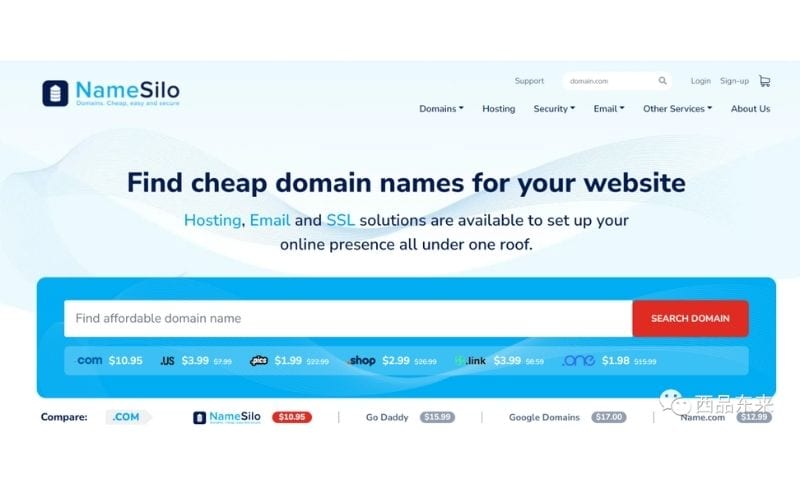
Once you have a shortlist, use an accredited domain registrar to check which names and extensions are available. The screenshot below shows NameSilo as the source example.
2. Choose a website platform
Website platforms broadly fall into two groups.
Hosted platforms host the site for you, provide ready-made designs and let you add or edit content without building the whole system yourself. Shopify and Wix are common examples.
Self-hosted platforms give you software for managing content, but you arrange the hosting and installation. WordPress and Ghost are common examples, and both can be used with or without writing code.

The screenshot shows WordPress.com. For the self-hosted option, compare it separately with the WordPress.org software that you install with a hosting provider.
Many SEO teams choose WordPress because it is open source and highly customizable. That flexibility still comes with operational responsibility: security depends on the hosting, updates, plugins, access controls and maintenance practices you choose.
Shopify is popular because much of the commerce setup works out of the box. Compare its recurring cost, theme and app constraints, URL behavior and international requirements with the control your project needs; it is not automatically good or bad for SEO.

3. Choose hosting
If you choose a self-hosted platform, you will also need web hosting.
Check three things before you commit:
- Security: the host should support HTTPS and make it practical to install and renew an SSL/TLS certificate.
- Customer support: reliable help matters when the site is unavailable or a server setting blocks visitors or crawlers.
- Delivery location: choose infrastructure that can serve your main market quickly. A suitable region, content delivery network and caching setup usually matter more than whether the provider is based in the same country as your company.
Data still has to travel between the server and the visitor. Test the final setup from the markets you serve instead of assuming that one location will perform equally well everywhere.

4. Prepare your SEO tools and technical foundation
- Set up Google Search Console and a site-audit tool.
Search Console can help you inspect Google Search performance, submit a sitemap and find indexing or technical issues. Ahrefs Webmaster Tools is another option mentioned in the source, but the important point is to have a repeatable way to inspect the site.
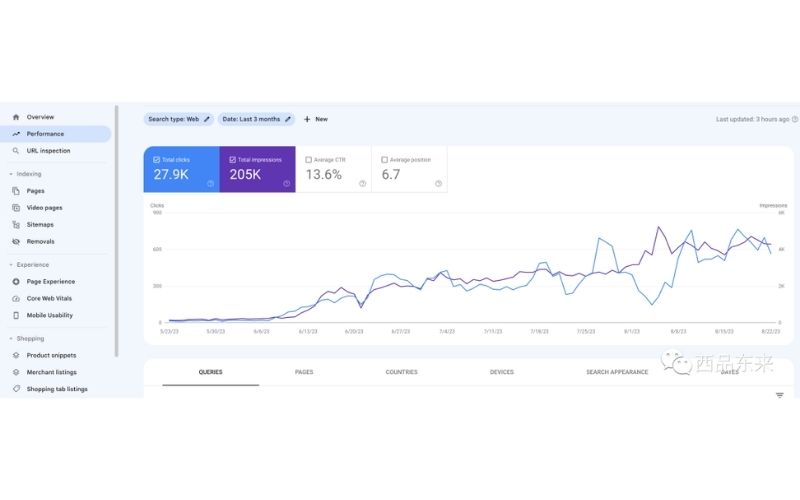
When you add a Domain property in Search Console, enter the domain without a protocol or path and follow the DNS verification instructions shown for your provider. Domain properties require DNS verification; the record type and exact value must come from the current verification screen.
Keep the verification record in place after setup so ownership does not lapse. If you use a URL-prefix property instead, Search Console may offer other verification methods. If verification fails, follow Google's current ownership guide.
- Plan the site architecture.
Site architecture is the hierarchy that connects the homepage, category pages, product or service pages and supporting content. A clear structure helps visitors and search engines find the right page.
Add contextual internal links between related pages. Links help people move through the site and give crawlers paths to discover and understand new URLs.
- Keep the URL hierarchy clear.
Use descriptive, stable URLs that make the page topic and its place in the site understandable. Do not add folders merely to make a URL look optimized; the hierarchy should reflect a real content relationship.
- Check the other technical basics.
- Use HTTPS.
Serve the site over HTTPS and make sure HTTP versions redirect consistently to the canonical HTTPS URL.
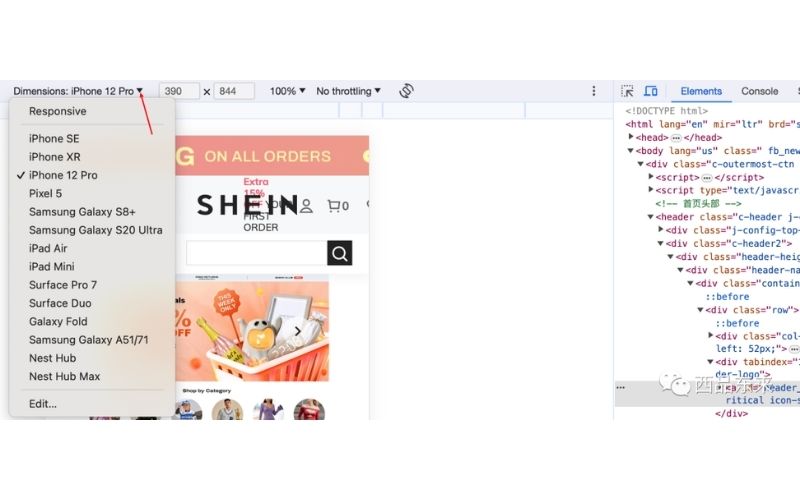
2. Make sure the site works on mobile devices. People should be able to read the page, use its controls and complete its forms without zooming or fighting the layout.
Chrome's developer tools can provide a quick first check with different viewport presets.
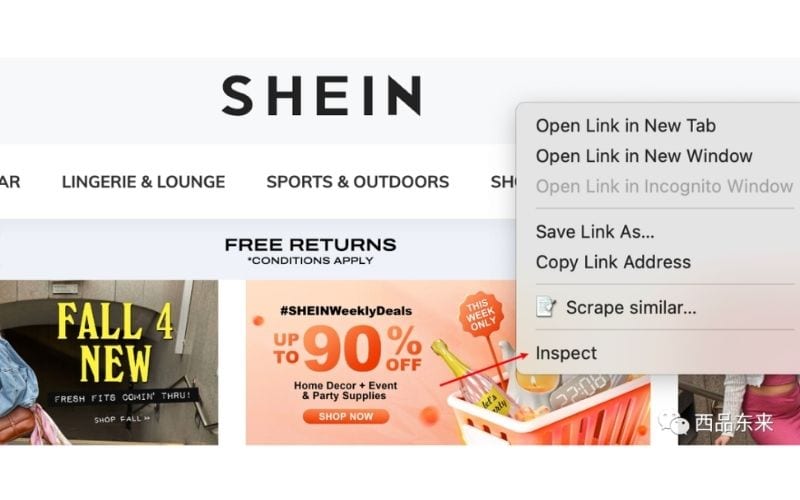
Select a representative device size, then test the real page rather than relying on the preset alone.
3. Avoid intrusive interstitials. Do not cover the main content as soon as someone arrives. If a full-screen prompt is not essential, use a less disruptive placement.
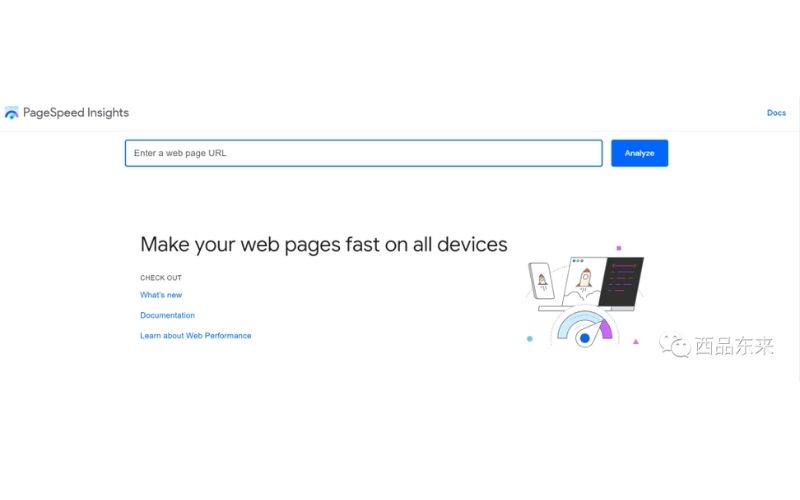
4. Test performance. PageSpeed Insights can show lab tests and, where enough data exists, how real visitors experience the page.
Do not reduce performance to a universal three-second rule. Check how quickly the main content appears with Largest Contentful Paint.
Use Interaction to Next Paint to see how promptly the page responds, and Cumulative Layout Shift to spot unexpected movement. Find the bottleneck, then confirm the result on the production site.
5. Research keywords
One of the most important parts of SEO is learning what your target audience actually searches for.
That is the purpose of keyword research, and it is also one of the steps new sites most often underestimate.
A keyword tool can give you a simple starting point. The source uses Ahrefs' free keyword generator as an example.

Enter a seed topic and select the relevant country or market to produce a first set of related phrases. The screenshot shows the first 100 ideas from a much larger set.
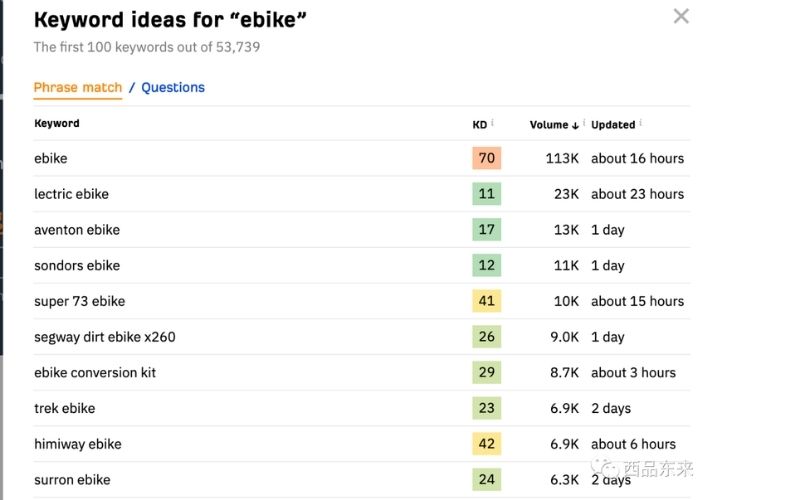
A thorough project may uncover hundreds or thousands of useful queries, depending on the site's scope. The research should connect each viable query to intent, competition, a suitable page and the work needed to serve it.
Tool estimates can guide priorities, but they cannot promise an exact ranking date or traffic total.
If your research stops at a raw export, see how our keyword-research service turns demand into a page plan.
6. Create content that matches search intent
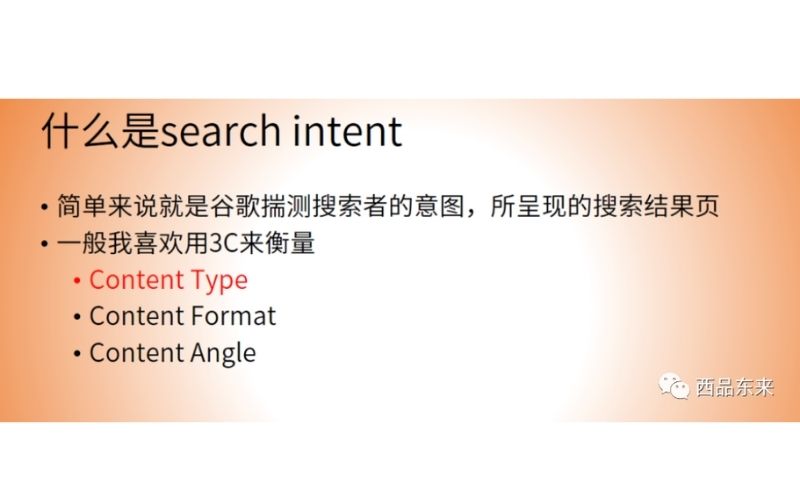
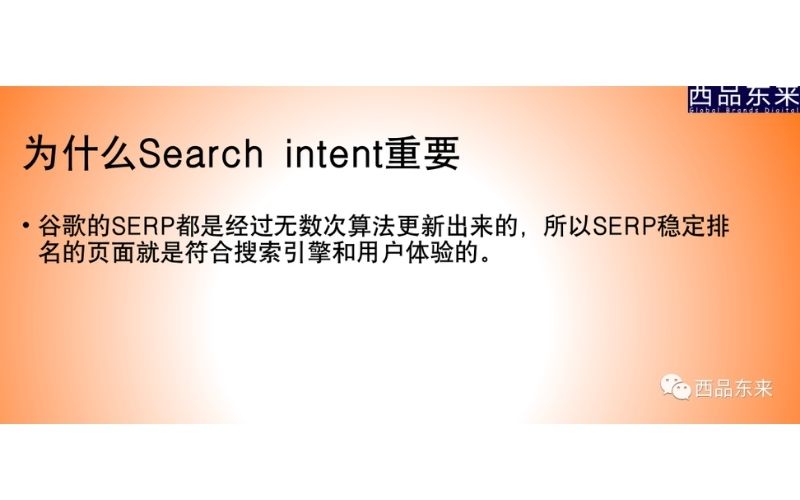
First, what is search intent?
Do not assume that a page deserves to rank merely because it mentions the keyword.
Review the leading results to understand the content type, format and angle people currently find useful. Then create a page that satisfies the underlying task rather than copying the wording or structure of those results.
Cover important supporting subtopics
Look at which useful subtopics recur across strong pages and decide which ones your reader also needs. Include them when they support the main purpose; do not add them simply to imitate a competitor's outline.
Keep the content original and credit sources
Write original material instead of copying pages that are already published and indexed.
When you quote or rely on another source, identify and link to it clearly. Attribution supports trust; it is not a tactic for reaching a particular duplicate-content percentage.
Make the content easy to understand
Use a clear structure, direct language and sentences that fit the audience. The source cites an internal target of grades 5 to 7, but readability scores are diagnostics rather than universal quality targets.

Avoid dense walls of text. Keep paragraphs focused and use meaningful images, numbers or symbols when they make the explanation easier to follow.
Complete the on-page optimization
On-page details matter, but no checklist guarantees a ranking increase. Align the title, main heading, body copy, images, internal links, canonical and structured data with the page's actual purpose.
If you need a systematic review, start with our on-page optimization service.
7. Share the work through relevant channels
Once the basic optimization is complete, share useful pages where the intended audience is already active. This can help people discover the site and give you early feedback, but it does not guarantee higher rankings.
Relevant Reddit communities, professional groups, Slack communities and permission-based email can all be useful. Read each community's rules and do not turn the post into spam.

8. Monitor rankings and site performance
Keep tracking the site's search and website data. Compare what changed with the release record, then use the evidence to adjust the next round of work.
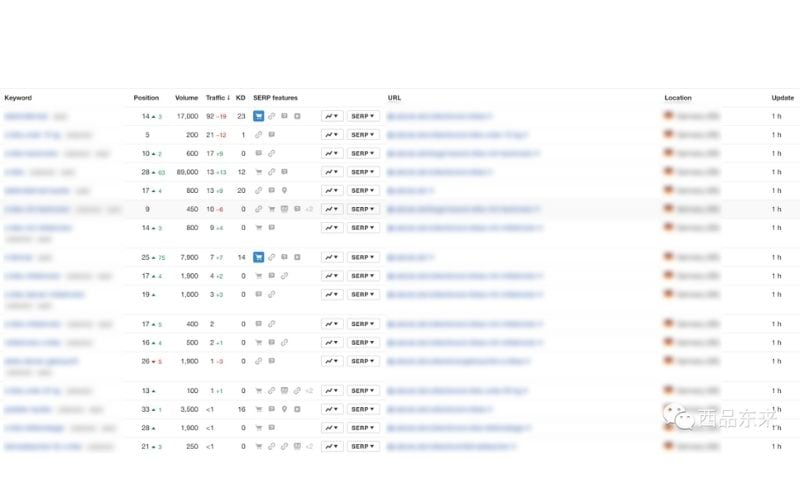
Ahrefs' rank tracker, shown in the source, is one way to add target keywords and monitor their positions over time.
The report can show current positions, gains and losses. Combine that view with Search Console queries, page visits and business outcomes so a ranking movement is not mistaken for the whole result.
That is the basic SEO workflow for a new site. Once the foundation is live, use the feedback to decide what to improve next: content, internal links, authority or a deeper technical issue.